 New topic
 Printable
| Author | Message |
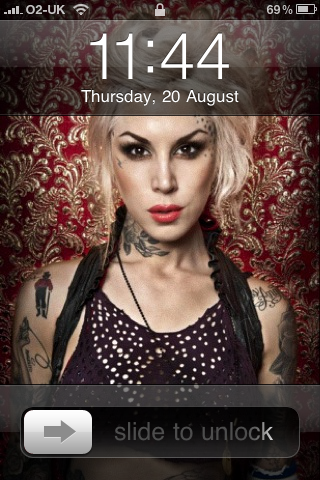
Let's see your iPhone, Blackberry, PDA or cell phone wallpaper! (Shamelessly ripped off from another thread  ) )
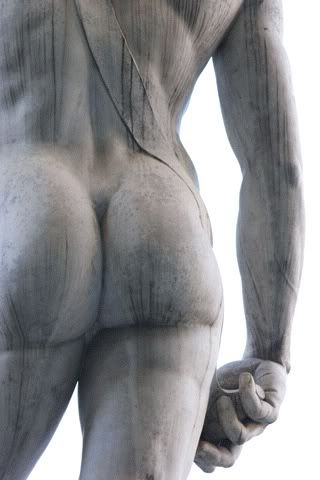
Mine matches my computer desktop  ... ...
 Ὅσον ζῇς φαίνου
μηδὲν ὅλως σὺ λυποῦ πρὸς ὀλίγον ἐστὶ τὸ ζῆν τὸ τέλος ὁ χρόνος ἀπαιτεῖ.” | |
- E-mail - orgNote -  Report post to moderator Report post to moderator |

That's a hard booty  | |
| - E-mail - orgNote - Report post to moderator |

Well, I see this thread is going swimmingly.  Ὅσον ζῇς φαίνου
μηδὲν ὅλως σὺ λυποῦ πρὸς ὀλίγον ἐστὶ τὸ ζῆν τὸ τέλος ὁ χρόνος ἀπαιτεῖ.” | |
| - E-mail - orgNote - Report post to moderator |
 Facebook: http://www.facebook.com/srr636
My Blog: http://fullofbeautifuldis...umblr.com/ My Twitter: www.twitter.com/chrissyharman My Flickr:www.flickr.com/chrissananda | |
| - E-mail - orgNote - Report post to moderator |
How do I put a wallpaper in my Ipod/Iphone? Anybody?  | |
| - E-mail - orgNote - Report post to moderator |
Harlepolis said: How do I put a wallpaper in my Ipod/Iphone? Anybody?
on ma iPhone you just go 2 whatever pic u want, press the arrow at the bottom left. Then select - use as wallpaper. Facebook: http://www.facebook.com/srr636
My Blog: http://fullofbeautifuldis...umblr.com/ My Twitter: www.twitter.com/chrissyharman My Flickr:www.flickr.com/chrissananda | |
| - E-mail - orgNote - Report post to moderator |
Harlepolis said: How do I put a wallpaper in my Ipod/Iphone? Anybody?
1a) Search the wallpaper apps (Stylem Media's "Backgrounds" is a good, free one) and download an image directly into your iPhone/iPod Camera Roll. 1b) Snap a good photo with your iPhone/iPod camera and save it. 2) Find the image in your Camera Roll, select it and set it as your wallpaper. OR 1) Synch a suitable image from your computer into your iPhone/iPod Photo Library. 2) Find the image in your Photo Library, select it and set it as your wallpaper. [Edited 8/21/09 8:54am] Ὅσον ζῇς φαίνου
μηδὲν ὅλως σὺ λυποῦ πρὸς ὀλίγον ἐστὶ τὸ ζῆν τὸ τέλος ὁ χρόνος ἀπαιτεῖ.” | |
| - E-mail - orgNote - Report post to moderator |